Linear
The Linear integration creates a Linear ticket for each Dam Secure finding and keeps status in sync in both directions. Your team can triage security work in Linear, and Dam Secure mirrors triage status on the finding.
Connecting your workspace
Connect Linear from Settings → Integrations:
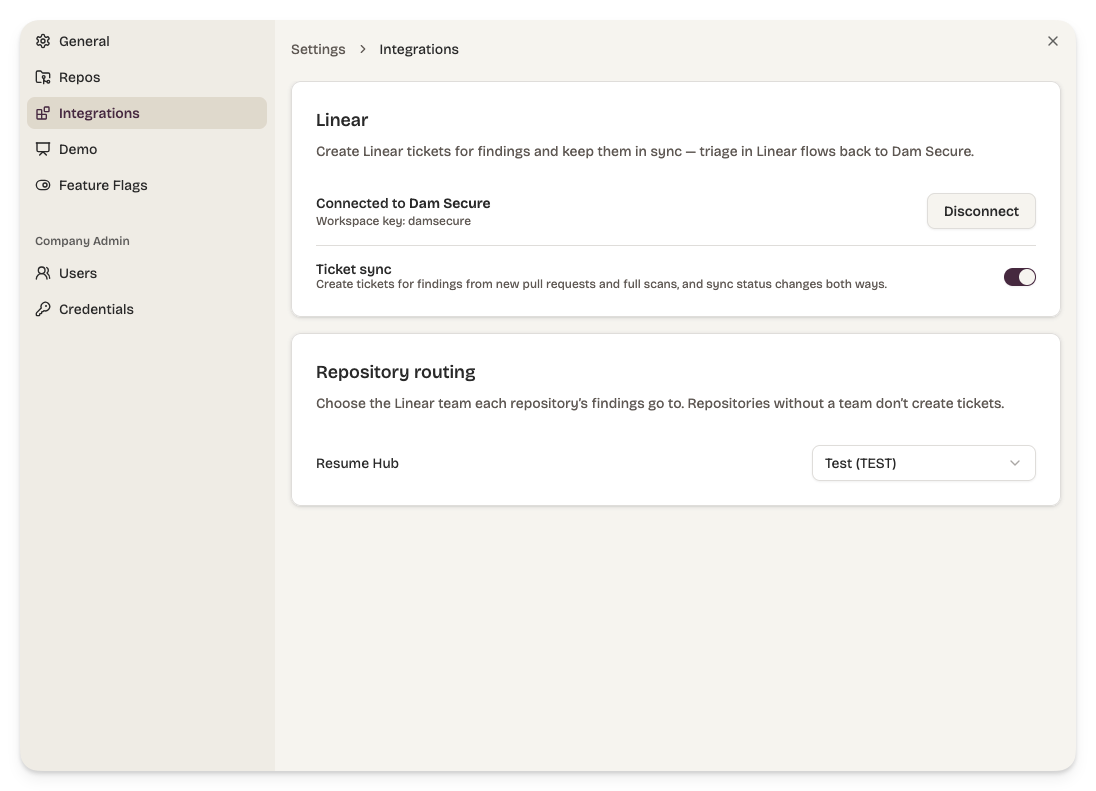
- A workspace admin completes the OAuth flow. Tickets are created and updated by a dedicated Dam Secure app user, so ticket activity is attributed to the Dam Secure app user, not an individual's account.
- Map each repository to the Linear team that owns it. Findings from that repository open tickets in that team. Repositories with no team mapped do not create tickets.
- Turn ticket sync on. Findings are not created as Linear tickets until sync is enabled.
From findings to tickets
Once sync is enabled, Dam Secure creates a Linear ticket for each finding raised by a pull-request or full-repository scan. Every ticket includes:
- A title with the severity and the affected file.
- The finding description and evidence, including file paths, line ranges, and why each location was flagged.
- The repository, branch, and commit where the finding was raised.
- A deep link back to the finding in Dam Secure. The link stays stable across re-scans, so the ticket always points at the current state of that finding.
Re-scans update the existing Linear ticket rather than creating a duplicate.
Bi-directional synchronisation
Dam Secure → Linear. When a finding's status changes, its ticket moves to the matching workflow state:
| Finding status | Linear state |
|---|---|
| Needs triage | Triage / Backlog |
| Confirmed | In Progress |
| Fixed | Done |
| Dismissed | Canceled |
Linear → Dam Secure. When someone moves the ticket in Linear, the finding updates to match:
| Linear state | Finding status |
|---|---|
| Triage / Backlog / To Do | Needs triage |
| In Progress | Confirmed |
| Done | Fixed |
| Canceled | Dismissed |
State mapping uses Linear's standard workflow categories, so it adapts to each team's board, including custom state names and optional triage inboxes.
When a ticket is canceled in Linear, Dam Secure captures the surrounding discussion as context for the dismissal. See Learning from your dismissal notes.
When a status change originates on one side, Dam Secure does not sync that same change back the other way.
Disconnecting
Disconnect the workspace at any time from Settings → Integrations. Existing tickets remain in Linear; Dam Secure stops syncing.