Applications
An application is a group of repositories that work together, such as a web app, its API and the services behind it. When Dam Secure reviews a pull request in one of those repositories, it can also read the code in the others. That helps it judge a finding the way your team would: by following the request into the service that handles it.
Why It Helps
Many security problems cross repository lines. A gateway may pass a user's input to an internal service, and whether that is safe depends on what the service does with it.
Without an application, Dam Secure sees one repository and has to guess. With one, it can check:
- Whether a risk is real. For example, whether the service behind your API already checks permissions.
- How far a problem reaches. For example, which internal endpoint a crafted request could reach.
- Where the fix belongs. Sometimes the safest fix is in the other repository.
The other repositories are only read for context. Issues are still reported against the repository the pull request changes.
Create an Application
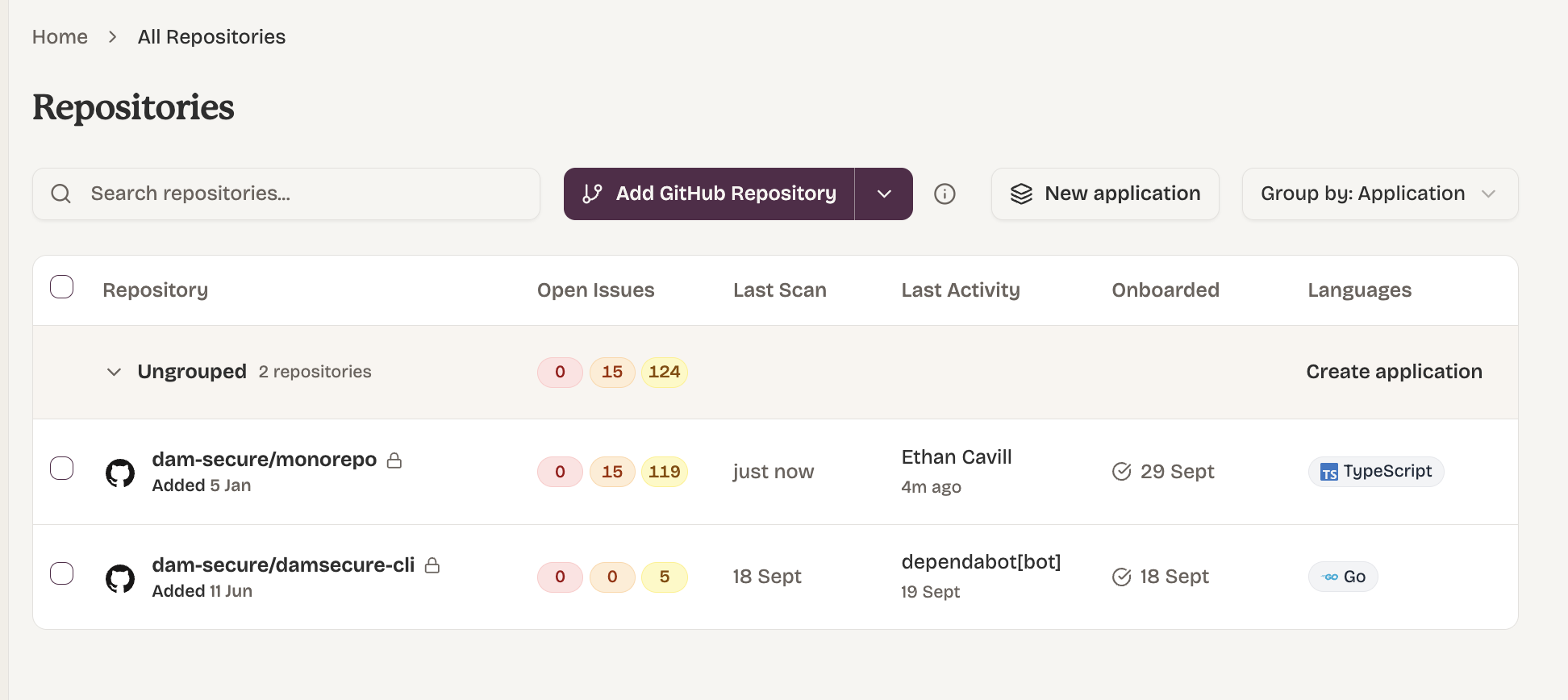
- Go to Repositories.
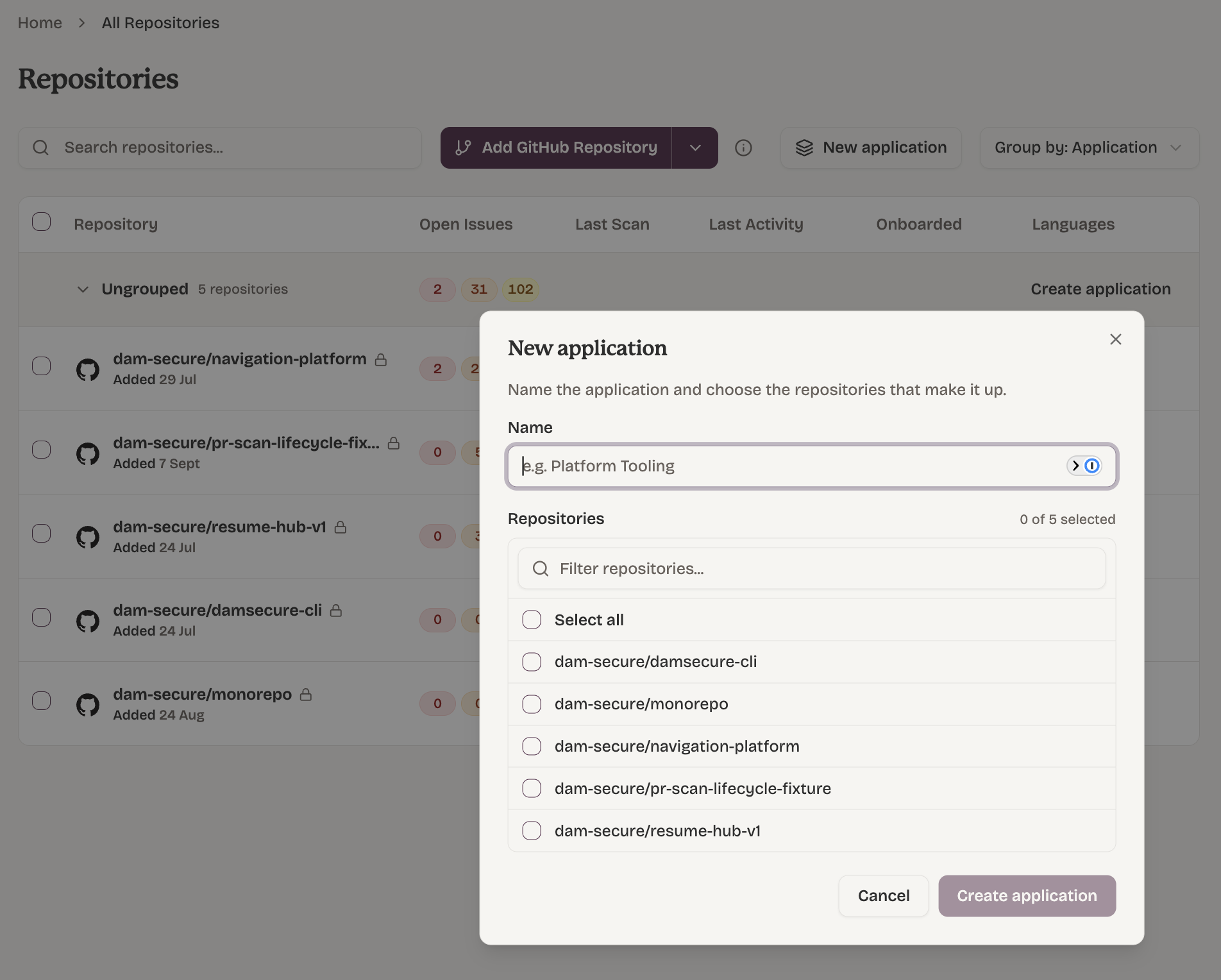
- Click New application.
- Enter a name, such as
CheckoutorPlatform Tooling. - Tick the repositories that belong to it. Use the filter box to find them.
- Click Create application.
You can also start from the list:
- Tick the repositories you want to group, then click Create application in the bar at the bottom.
- Or click Create application on the Ungrouped row.
Add or Remove Repositories
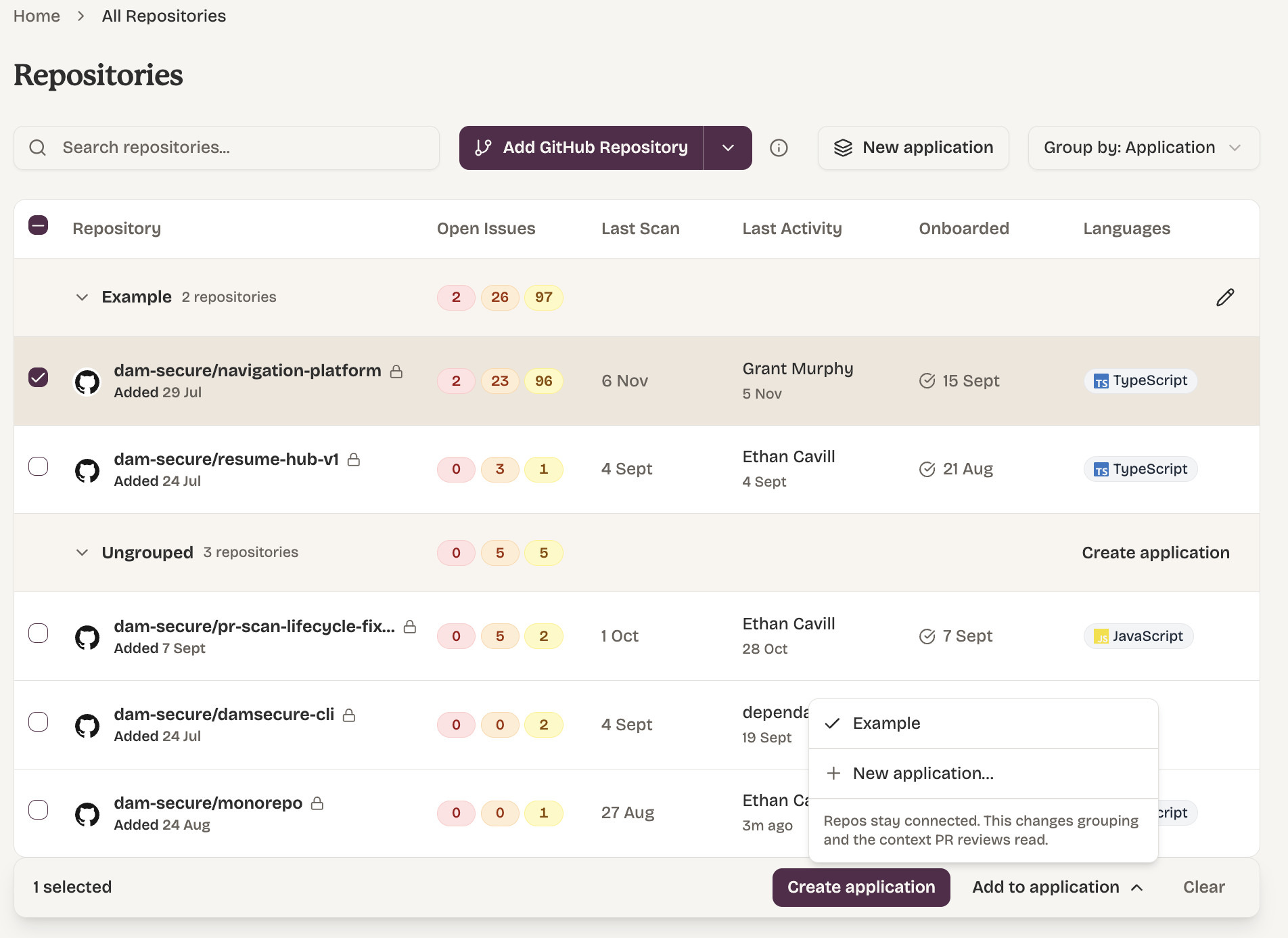
- From the list: tick one or more repositories, click Add to application, then tick or untick each application.
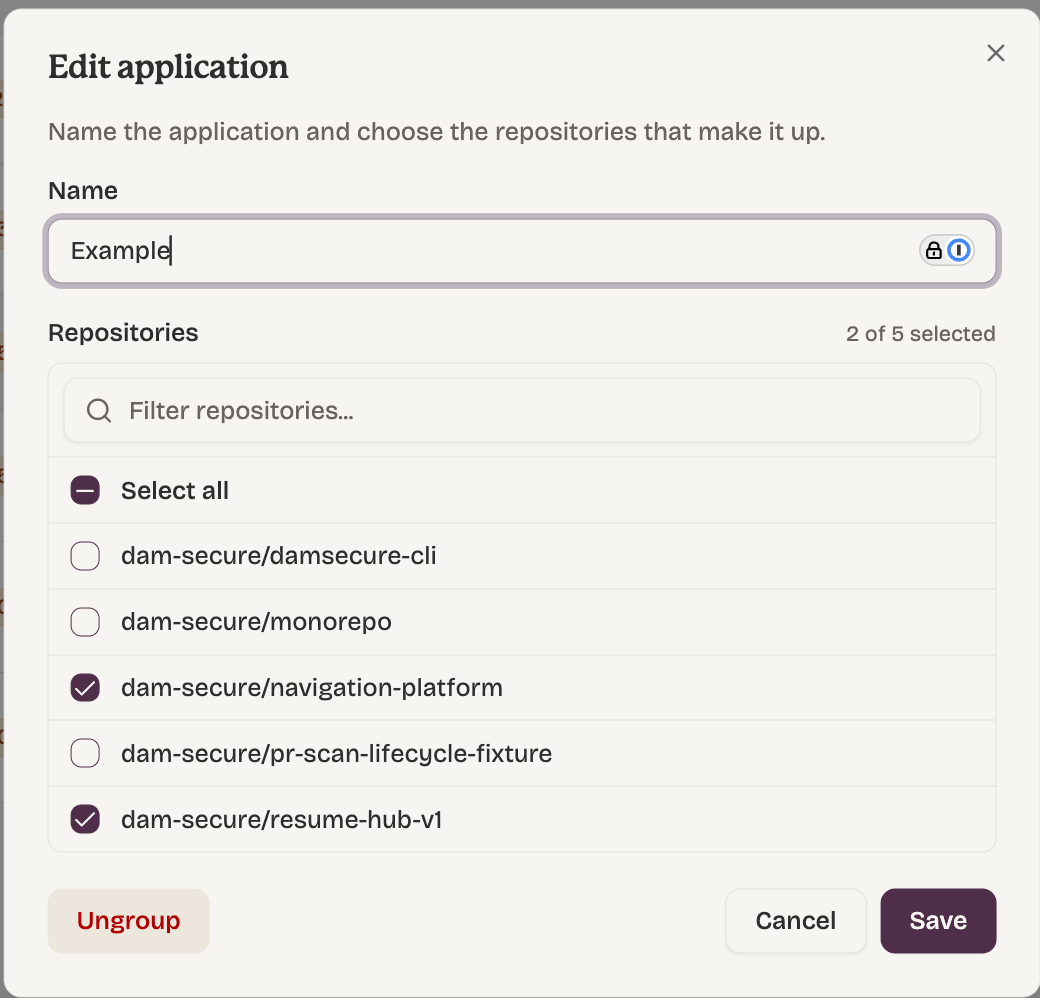
- From the application: click the pencil icon on the application's row, change the ticked repositories, then click Save.
A repository can belong to more than one application. For example, a shared authentication service can be in every application that uses it.
Delete an Application
- Click the pencil icon on the application's row.
- Click Ungroup.
- Click Delete application to confirm.
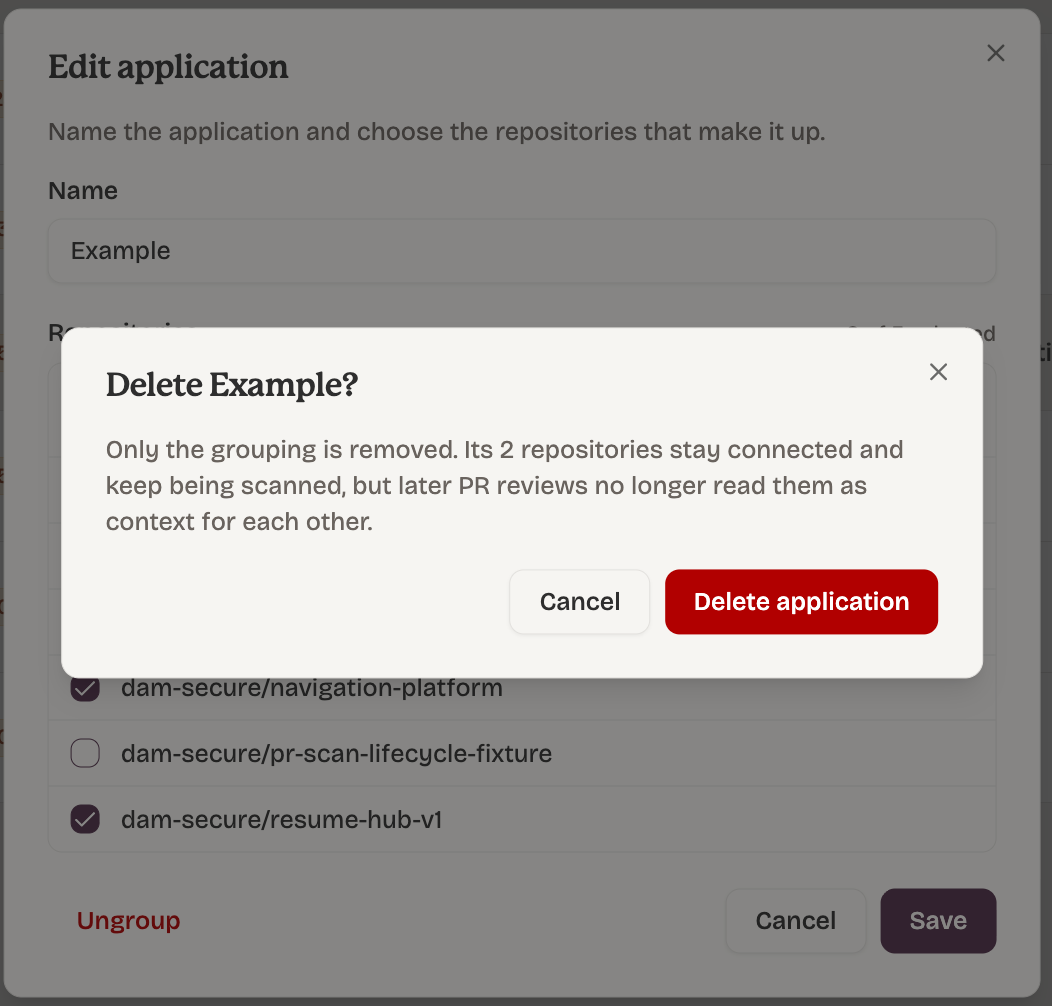
Only the grouping is removed. The repositories stay connected and keep being scanned, but later pull request reviews no longer read them as context for each other.
View Your Applications
- Repositories page: repositories are grouped by application by default. Repositories not in any application appear under Ungrouped. To see a flat list, choose Group by: None.
- Repository page: each repository shows the applications it belongs to. Hover over an application to see its other repositories, or click Manage applications to change them.
What You See on an Issue
When a pull request review used other repositories, the issue page shows:
- Checked against: the other repositories the review read, each at the exact commit it read. Click one to open that commit.
- Supporting code: any code from another repository that the finding relies on, with a link to the exact lines.
The Dam Secure MCP server returns the same supporting code when you ask for an issue's evidence.
What to Know
- Pull request reviews only, for now. Support for full repository scans is in development.
- Up to 10 other repositories per review. If a repository's applications hold more, Dam Secure picks the most recently active ones, giving each application a turn.
- GitHub repositories only.
- Repositories must be onboarded. Repositories still onboarding, or blocked, are skipped.
- Reviews use each repository's default branch, as it was when the review started.
Tips
- Group by how requests flow, not by team. Put a frontend, its API and the services the API calls in one application.
- Keep applications focused. A smaller group gives each review the code that matters most.
- Add shared services to every application that uses them.
FAQ
Does grouping change what gets scanned? No. Every connected repository is scanned as before. Grouping only adds context to pull request reviews.