Issues
Issues are created based on scans that Dam Secure performs on your codebase using the rules you publish on our platform.
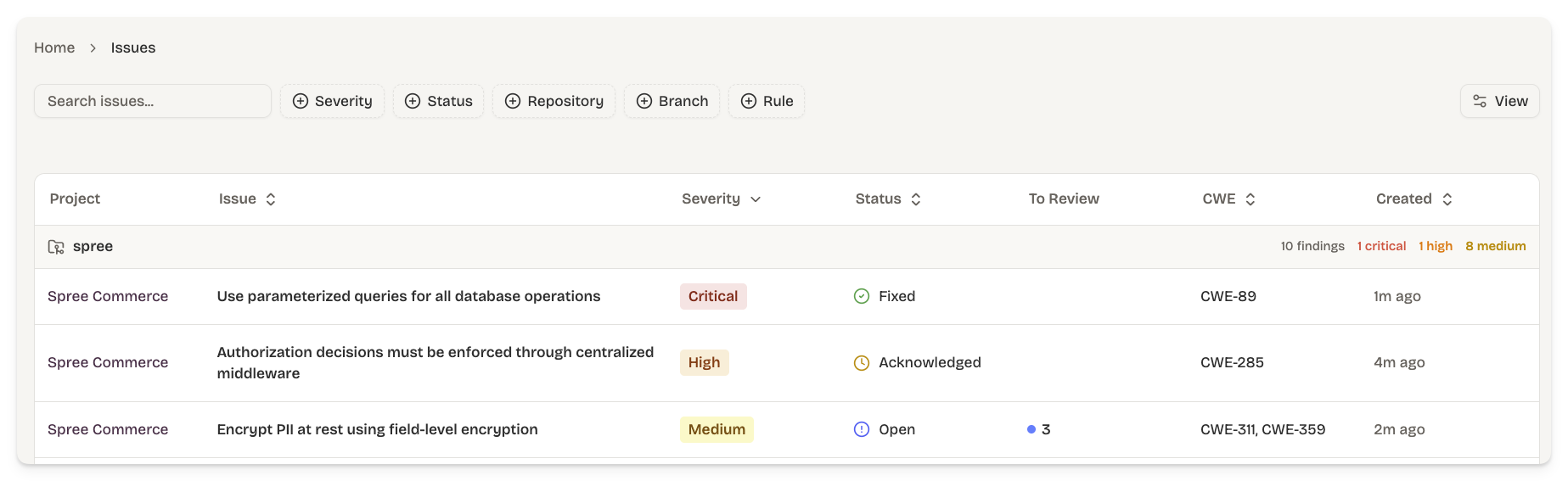
An issue can contain many sub-issues that represent different files and parts of your codebase that are violating a specific rule. Sub-issues are triaged one at a time, which is how engineers separate confirmed problems from false positives without losing context on the rest of the issue.
Issue Status
Every issue has one of four statuses. You do not have to set these directly. Instead Dam Secure derives the status of an issue based on the following rules:
- Open - at least one sub-issue is still untriaged.
- Acknowledged - every sub-issue is triaged and at least one has been confirmed.
- Fixed - every sub-issue is either fixed or dismissed, and at least one is fixed.
- Dismissed - every sub-issue has been dismissed.
Triaging Sub-issues
Each sub-issue can move through four triage states:
- Confirmed - mark the sub-issue as a real needing remediation work.
- Dismissed - discard with a reason (false positive, accepted risk, mitigated, or won't fix). Dismissals are remembered across rescans (see below).
- Fixed - mark the sub-issue as fixed.
The parent issue's status updates automatically each time you triage one of its sub-issues, using the rollup rules above.
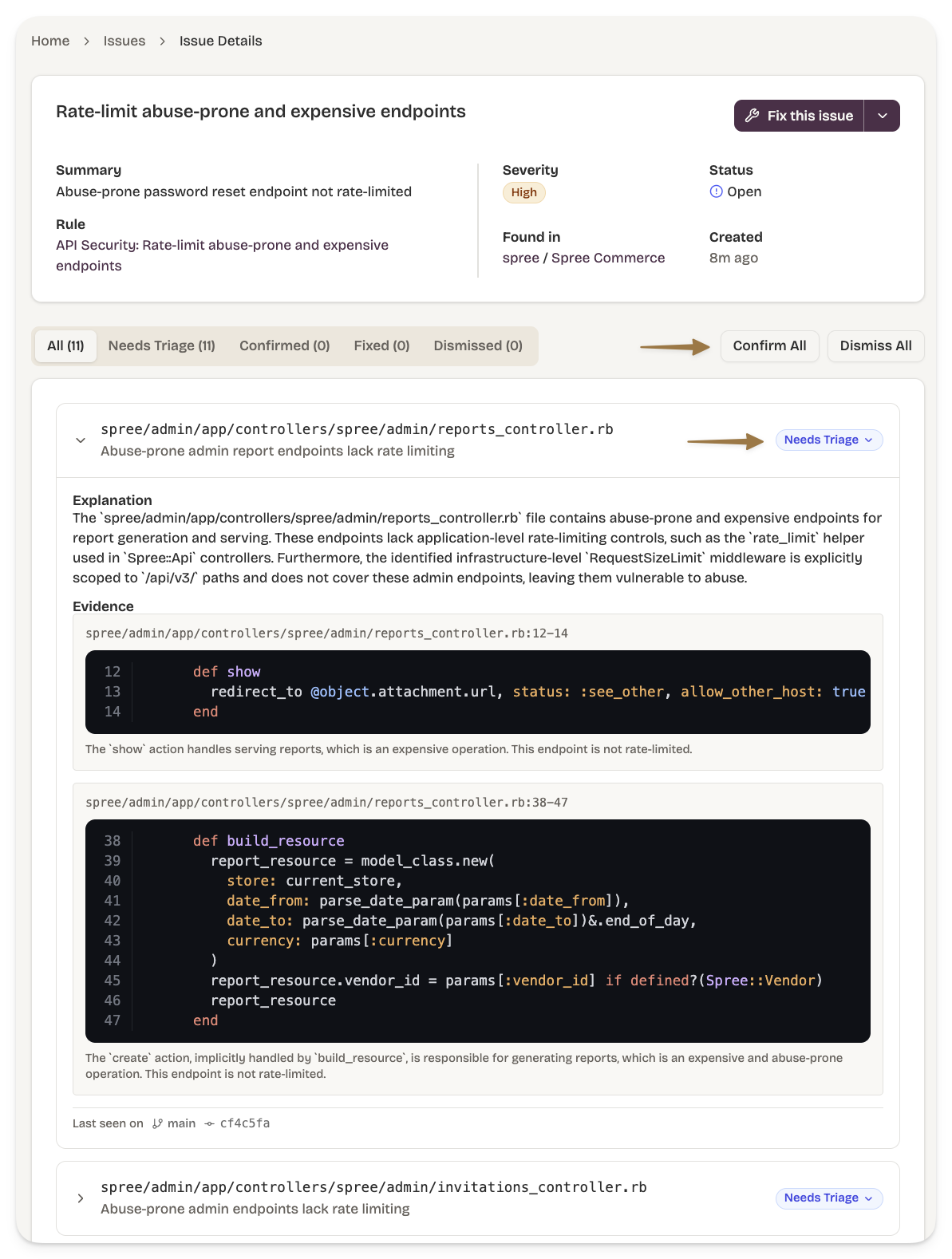
You can also acknowledge or dismiss an entire issue at once. Dismissing at the issue level is sticky meaning even if a future scan finds new violations of the same rule in the same project, those won't reopen a dismissed issue — they'll create a fresh issue instead. Use issue-level dismissal when you've decided not to act on a whole class of finding for a project; otherwise, dismiss individual sub-issues.
Issues & Findings in Future Scans
Each scan runs through deduplication so your triage decisions persist over time. The behaviour for the four common cases:
| Scenario | Outcome in Dam Secure |
|---|---|
| Same violation in the same place as a prior scan | Recognised as the same finding. The prior triage state (either confirmed, dismissed, or fixed) is carried forward onto the new scan's sub-issue. |
| New violation under a rule you already have an issue for | If the existing issue is Open or Acknowledged, the new sub-issue is added to it. If the issue is already Fixed or Dismissed, a new issue is created so that regressions are visible rather than quietly absorbed. |
| Sub-issue you'd dismissed shows up again | Stays suppressed. To reconsider it, restore the sub-issue first. |
| Sub-issue you'd confirmed shows up again | Stays confirmed. The confirmation timestamp inherits onto the new scan. |
Use the Dam Secure MCP to review & triage issues & sub-issues.
MCP review example prompt: "Can we review issues in Dam Secure."
MCP review example prompt: "Can we review issues related to missing rate limiting in Dam Secure."
MCP triage example prompt: "Can we confirm the rate limiting findings in Dam Secure and create a plan to fix them."