Adding Rules
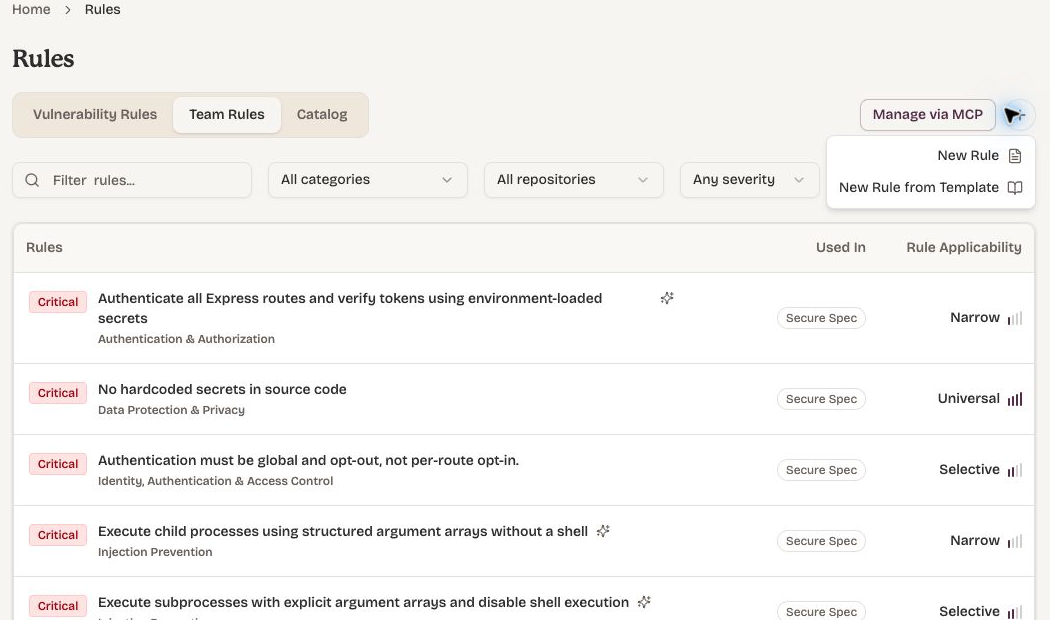
Rules can be created by choosing from a template in the catalog or crafting a fresh rule.
Typical usage of Dam Secure is to use the rules auto-selected during onboarding, adding recommended rules, then refining rules over time.
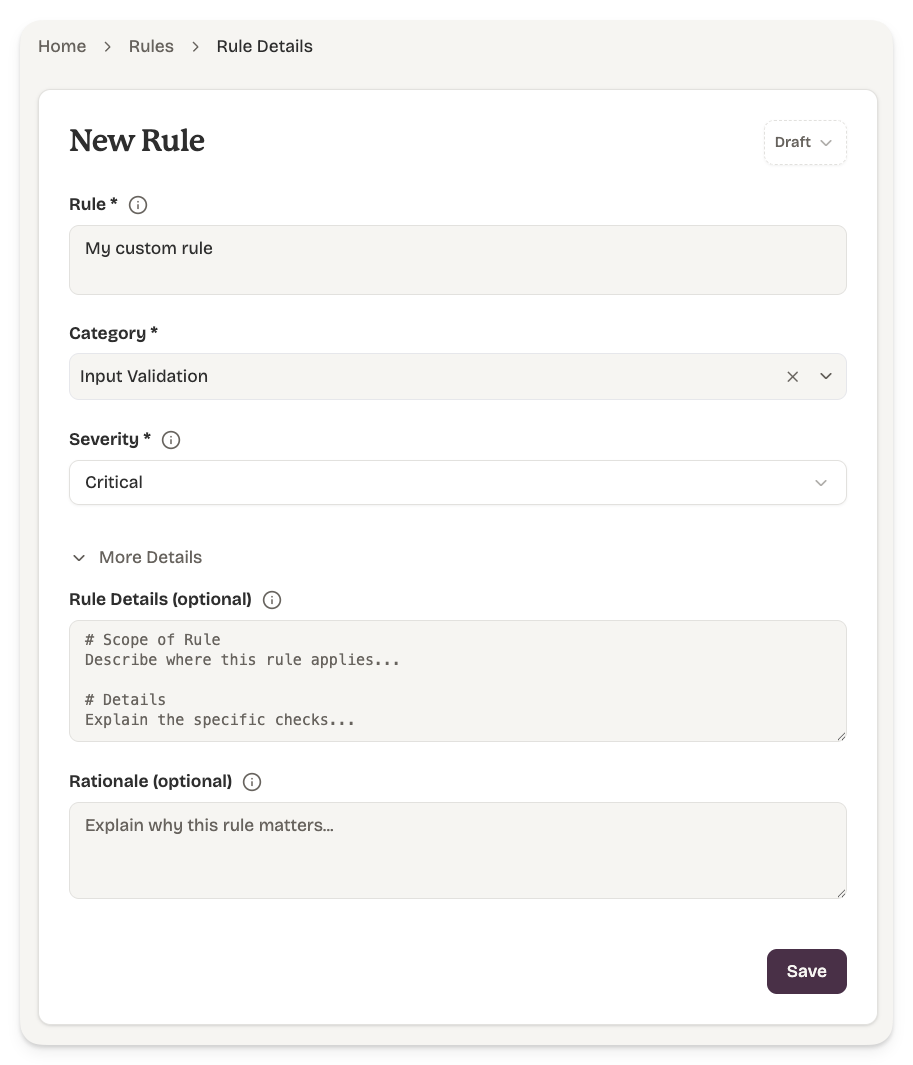
Rule
Most rules work effectively with a Rule title only.
- Typically 10–20 words. Be concrete.
- A rule like "avoid insecure crypto" is too vague; "flag uses of MD5 or SHA-1 for password hashing; suggest argon2id" gives the scanner something to match.
- One rule, one idea. Split broad policies into multiple narrowly-scoped rules — they are easier to triage, dismiss, and tune per project.
Rule Details
Rule Details are optional. For greater determinism, rule details can be added to guide the Dam Secure engine with additional details and how to apply the rule. Describe the safe alternative. Findings include the rule body, so a well-written rule doubles as guidance for the developer who has to fix it.
Rule Severity
Rule Severity will help drive the severity of Issues raised.
Changes to rule severity are not retrospectively applied to existing issues and sub-issues.
Category
Category has no meaning to Dam Secure, and is simply a mechanism to group your catalog of Rules.
Draft vs Live Status
Only Live rules are used in most Scans. Draft rules can be manually tested for accuracy and applicability by pressing Scan on the Rule page. Start in draft. If you're unsure how noisy a rule will be, save it as draft, review which projects it would apply to, then promote it to live.
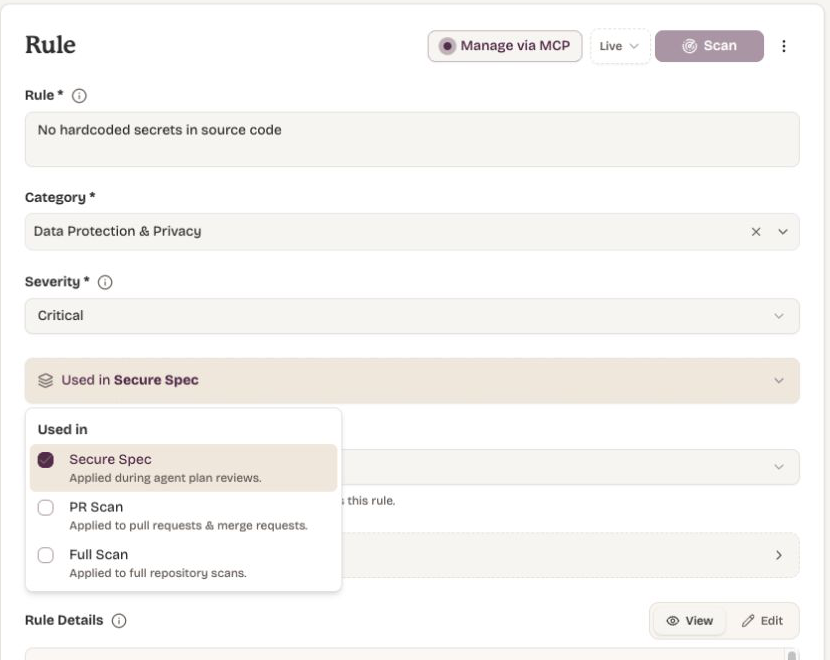
Used in
Choose where the rule should apply:
- Secure Spec for coding-agent plan reviews.
- PR Scan for pull requests and merge requests.
- Full Scan for broader repository reviews.
New team rules start with Secure Spec selected. You can select any combination of products.
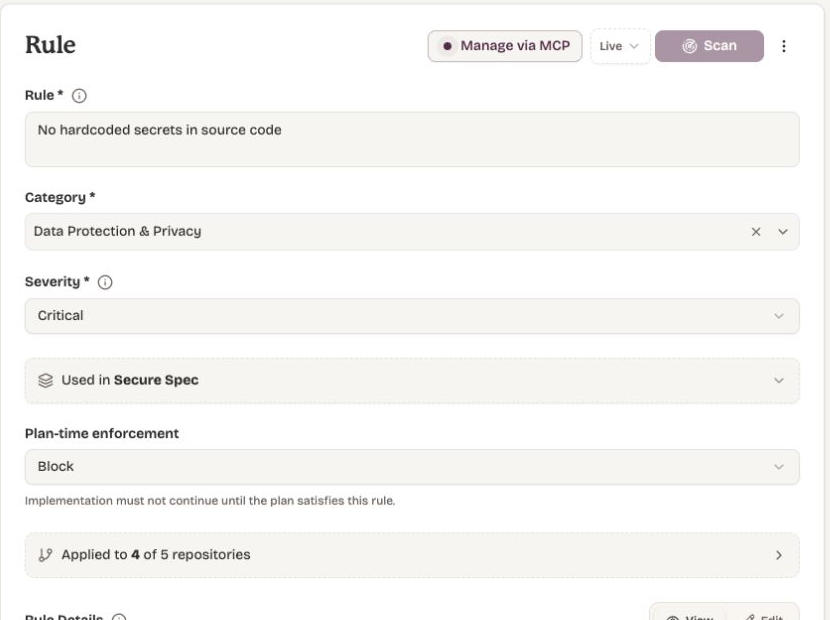
Plan-time enforcement
When Secure Spec is selected, choose how the coding agent should respond if its plan does not satisfy the rule:
- Block requires the agent to revise the plan before implementation continues. This is the default for new rules.
- Warn recommends a change but allows implementation to continue.
This setting is shown only when Secure Spec is selected.
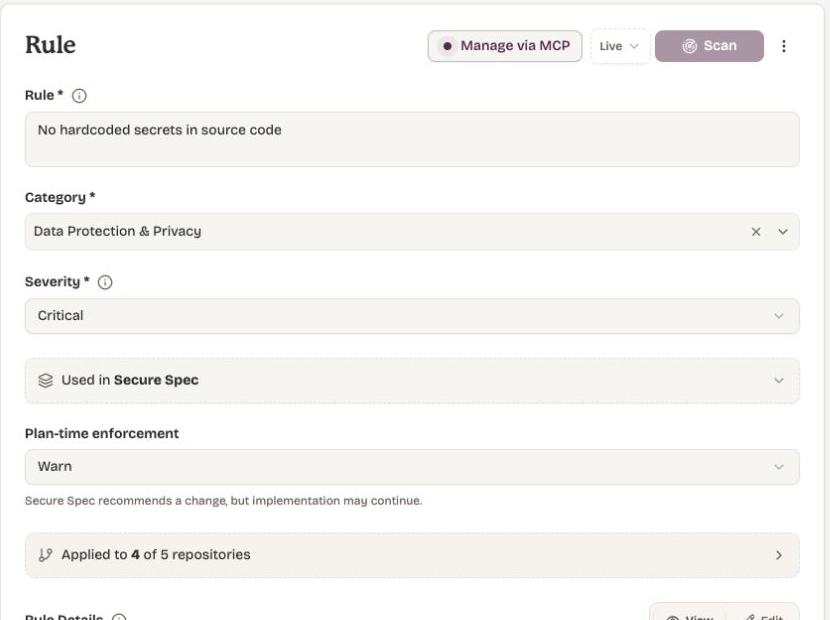
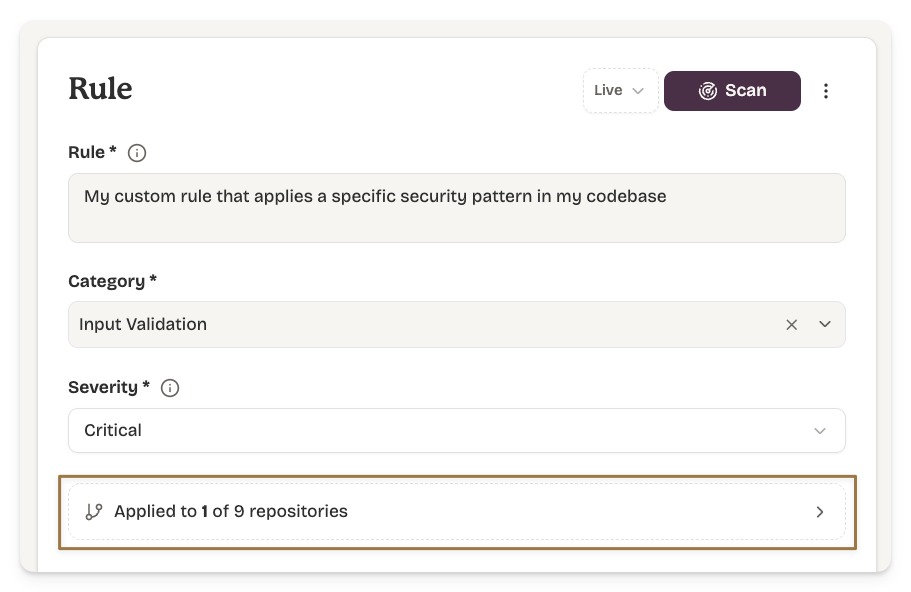
Applied Repositories
Dam Secure will automatically determine which Projects within a Repo are applicable for that rule. This ensures, for example, that a SQL injection rule is only applied to backend projects and not frontend projects. You can alter this mapping manually for any rule.
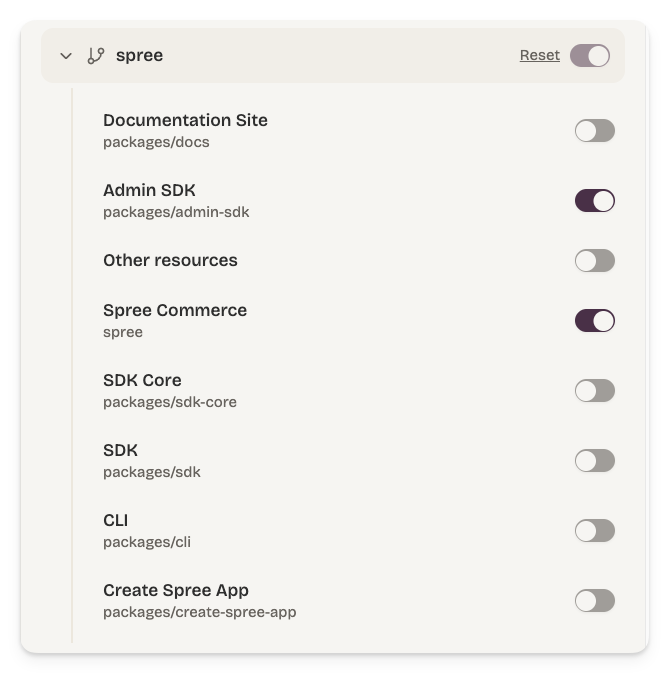
Rationale (optional)
Why the rule exists. Helps reviewers triage findings, encodes organizational knowledge, and helps your assistant suggest fixes.
Only team rules can be created by your organisation. Vulnerability rules are built-in rulesets maintained by Dam Secure and cannot be authored by customers.
Use the Dam Secure MCP to author custom rules for the security patterns specific to your codebase.
Example prompt: "Can you create a rule in Dam Secure that enforces the validation pattern we have in the API."